Build HAT
Library
The Build HAT library has been created to support the Raspberry Pi Build HAT, an add-on board for the Raspberry Pi computer, which allows control of up to four LEGO® TECHNIC™ motors and sensors included in the SPIKE™ Portfolio.
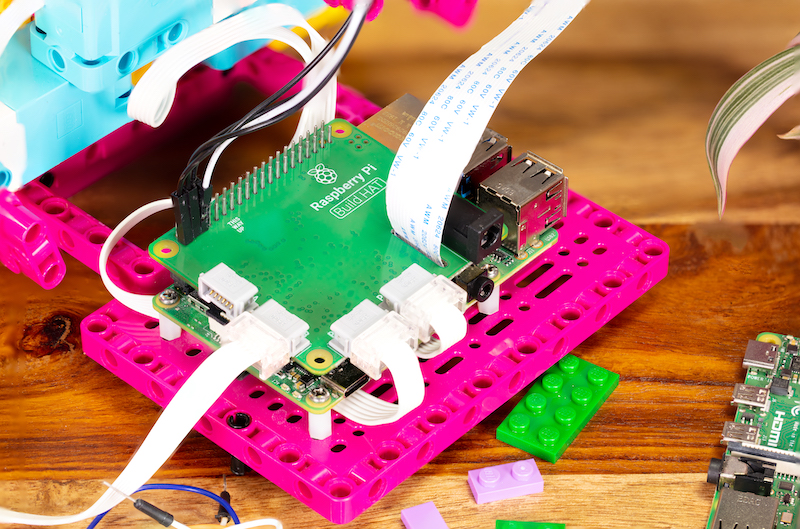
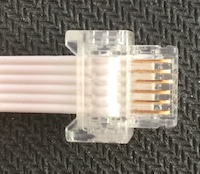
Other LEGO® devices may be supported if they use the PoweredUp connector:
In order to drive motors, your Raspberry Pi and Build HAT will need an external 7.5V power supply. For best results, use the official Raspberry Pi Build HAT power supply.
It is now possible to use custom firmware with the library. To do this you can follow the steps below.
   sudo apt install cmake python3 build-essential gcc-arm-none-eabi libnewlib-arm-none-eabi libstdc++-arm-none-eabi-newlib

   git clone https://github.com/raspberrypi/pico-sdk.git --recursive
   git clone https://github.com/raspberrypi/buildhat.git --recursive

   cd buildhat
   export PICO_SDK_PATH="$(pwd)/../pico-sdk/"
   make

   cd ..
   mkdir test
   cd test
   mkdir data

   cp ../buildhat/firmware-pico/build/main.bin data/firmware.bin
   cp ../buildhat/bhbl-pico/signature.bin data/signature.bin
   cat ../buildhat/firmware-pico/version.h | sed 's/#define FWVERSION "//g; s/ .*//g' > data/version
Then place your script, such as the following, within the test/ directory.
   import time
   from buildhat import Motor

   m = Motor('A')
   m.start()

   time.sleep(5)
Then use: python test.py in the test directory, to run your script with your custom firmware.
Note if you want python to always reload the firmware from your data/ directory each time you run your script, simply write the value: -1 to data/version.
Warning
The API for the Build HAT is undergoing active development and is subject to change.